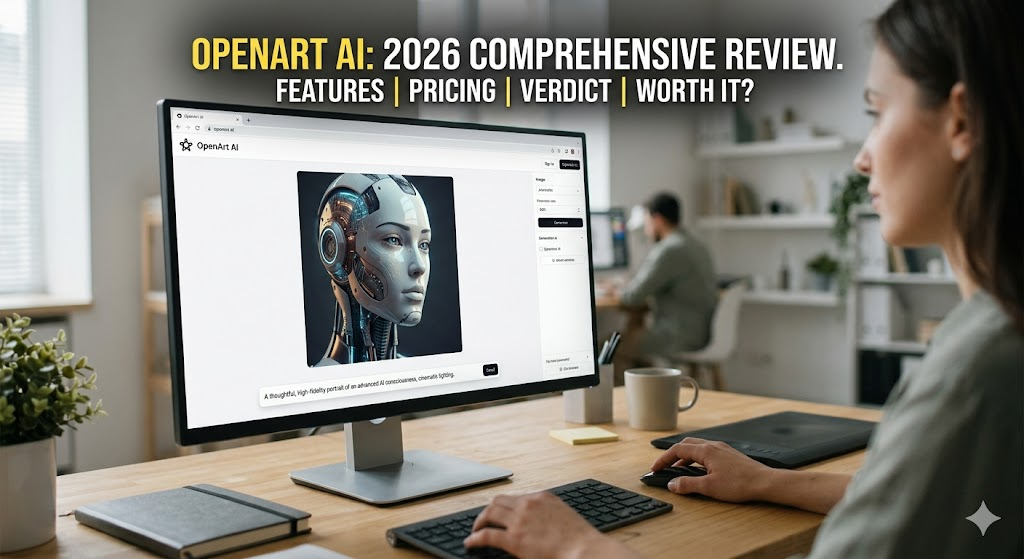
A Comprehensive OpenArt AI Review (2026): Features, Pricing, and Is It Worth It?
OpenArt AI has rapidly evolved into a powerhouse generative AI platform. Built on advanced diffusion models like Stable Diffusion, it allows creators to generate, tweak, and perfect images and videos. In 2026, OpenArt is no longer just a simple prompt box; it’s a fully-fledged creative ecosystem offering text-to-image generation, precision inpainting, consistent character training, unique artistic filters, and API integrations.
That is the technical definition. But if you are reading this, you are likely looking for the real story.
Is OpenArt actually worth your time and money? Does it outshine Midjourney? Will this tool still be relevant next year? Let’s dive deep into what OpenArt AI brings to the table in 2026.
=> GET DEAL OpenArt 2026: https://coupontada.com/dealstore/openart-ai1/
What Exactly Is OpenArt AI?
While fundamentally an AI image generator, calling OpenArt just a “generator” doesn’t do it justice in 2026. It is a comprehensive visual production suite.
With OpenArt, users can:
- Generate high-quality images from text prompts.
- Apply stunning artistic styles (like Pixar or Studio Ghibli) to existing photos.
- Edit specific image elements seamlessly using inpainting.
- Train the AI to maintain character consistency across various scenes.
- Produce short-form AI video clips.
- Leverage the OpenArt API for custom software development.
OpenArt effectively bridges the gap between casual hobbyists and professional designers. It rescues users from the chaotic Discord interface of Midjourney and bypasses the steep technical learning curve of running Stable Diffusion locally. It offers an accessible yet highly robust environment.
How Does the Platform Work?
Under the hood, OpenArt relies on sophisticated diffusion technology, utilizing both Stable Diffusion frameworks and custom-tuned proprietary models.
When you input a prompt like “neon-lit futuristic Tokyo architect, cinematic lighting,” the system doesn’t “paint” the image. Instead, it predicts and refines visual noise until a structured, coherent image emerges based on massive training datasets.
The true brilliance of OpenArt lies in its user interface (UI). They have masked complex neural network operations behind a sleek, intuitive dashboard. You don’t need a degree in computer science to use it—just a bit of imagination.
Core OpenArt AI Features in 2026
OpenArt has transitioned from a fun experimentation tool into a structured workflow platform tailored for marketers, agencies, and artists. Here is a breakdown of its core capabilities today:
1. Advanced Text-to-Image Generation
The cornerstone of OpenArt remains its image generation. You have access to a variety of models, but the 2026 update shines in its customization controls. Users can effortlessly tweak:
- Aspect ratios and resolutions.
- Prompt adherence strength.
- Aesthetic styles and base models.
- Seed values (Crucial for reproducing similar styles across different marketing campaigns).
2. Image-to-Image (Img2Img) Styling
This feature elevates OpenArt from a basic generator to a creative laboratory. By uploading a base image, you can completely alter its artistic style while keeping the original composition intact.
Whether you want a Disney-inspired look, an Anime overhaul, or a Studio Ghibli aesthetic, the AI reinterprets the visual elements rather than just applying a cheap filter. It is an excellent tool for brands testing new creative directions.
3. Precision Editing (Inpainting)
Inpainting is arguably OpenArt’s most practical feature for professionals. By highlighting a specific zone on your image, you can command the AI to:
- Erase unwanted background objects.
- Swap out clothing or colors.
- Change product placements in mockups.
- Fix local lighting issues.Instead of organizing a costly reshoot, marketers can refine assets in seconds.
4. Consistent Character Training
Creating a character once is easy; recreating them in 10 different poses is the ultimate AI challenge. OpenArt tackles this with dedicated character consistency tools. By feeding the model reference images, you can lock in specific facial traits and styles.
This is a game-changer for comic book illustrators, children’s book authors, and brand marketers who rely on storytelling.
5. AI Video Generation
While it isn’t competing with Hollywood-grade AI video software yet, OpenArt offers robust short-form video generation. You can animate static images, create stylistic loops, and generate bite-sized motion clips perfect for TikTok, Reels, or ad creatives.
6. Developer API Access
OpenArt isn’t just for end-users; it’s an infrastructure. With API access, development teams can integrate OpenArt’s generation capabilities directly into their own apps, agency dashboards, or automated content pipelines.
OpenArt AI Pricing (2026 Guide)
OpenArt operates on a flexible credit-based system. While pricing updates periodically, the current structure is highly competitive:
| Subscription Tier | Estimated Cost | Credit Allowance | Best For |
| Free Plan | $0 | Limited daily credits | Beginners & casual testing |
| Starter | $12 – $15 / month | Moderate | Hobbyists & casual creators |
| Pro | $28 – $35 / month | High | Marketers, designers, power users |
| Business | Custom Pricing | Scaled for teams | Agencies & enterprise workflows |
Note: Credits burn faster when generating videos, using high-resolution upscaling, or deploying advanced editing tools.
OpenArt vs. Midjourney: The 2026 Showdown
This is the ultimate debate. Here is the objective comparison:
- Interface: OpenArt uses a clean, web-based dashboard. Midjourney forces you into Discord.
- Editing Control: OpenArt dominates with inpainting, Img2Img, and character training. Midjourney is strictly prompt-in, image-out.
- Aesthetics: Midjourney still holds the crown for raw, hyper-stylized artistic beauty right out of the gate.
- Accessibility: OpenArt offers a Free Plan and API access. Midjourney does not.
The Verdict: Choose Midjourney for pure, dramatic artistry. Choose OpenArt if you need workflow control, editing capabilities, and ease of use.
Frequently Asked Questions (FAQs)
Is OpenArt AI free to use?
Yes, a Free Plan exists, but it provides limited daily credits. For intensive tasks like video generation or commercial asset production, a premium subscription is highly recommended.
Is OpenArt AI safe and secure?
Yes. In 2026, OpenArt adheres to strict cloud security and content moderation standards. However, users should refrain from uploading highly sensitive personal data and always verify the licensing terms associated with specific generated models.
Can I use OpenArt for commercial projects?
Absolutely. Most paid tiers grant full commercial rights to the generated images. Always double-check your specific plan’s terms, especially if designing client work or large-scale advertising assets.
Does the platform store my generated images?
Yes, your creations are saved within your personal dashboard. Retention periods depend on your subscription tier. Check their privacy policy if you require strict data deletion.
How do I cancel my OpenArt subscription?
Canceling is straightforward: Log in > Go to Account Settings > Navigate to Billing > Click “Cancel Subscription.” Ensure you do this before your billing cycle renews.
Who owns OpenArt AI?
The platform is built and managed by OpenArt Labs, a tech firm dedicated to generative AI solutions.
Final Verdict: Is OpenArt Worth It in 2026?
If your goal is to find a platform that balances flexibility, ease of use, and professional editing tools, OpenArt AI is absolutely worth your investment.
It strips away the technical headaches of Stable Diffusion and the chaotic interface of Midjourney, offering a streamlined workspace for generating images, maintaining character consistency, and expanding into AI video. While high-end artists might still prefer Midjourney for raw aesthetics, OpenArt is the ultimate practical choice for modern digital creators, marketers, and developers looking to scale their creative output.
=> GET DEAL OpenArt 2026: https://coupontada.com/dealstore/openart-ai1/